
Acorn TV: Brilliant Hit Series
RLJ EntertainmentEntertainment
3.021.00 Reviews
- Version
- 5.0.29.1
- Installs
- 100.00K
- Age Rating
- Teen
Screenshots
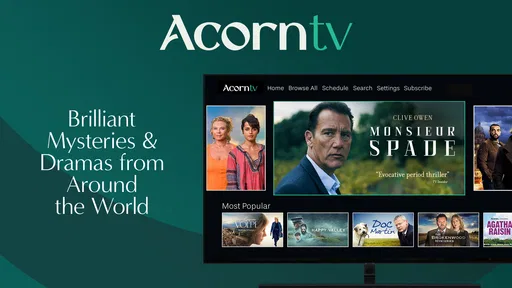
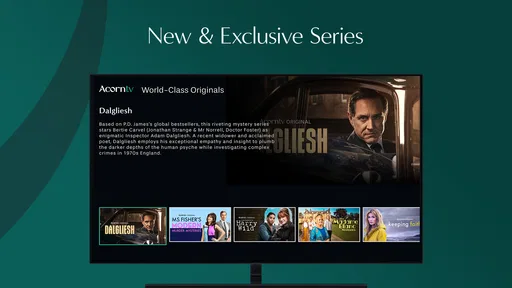
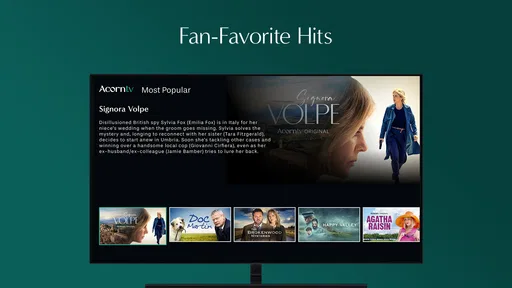
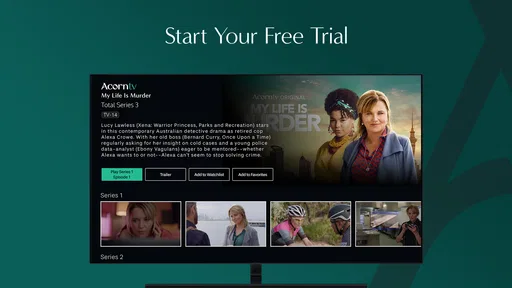
Our Review of Acorn TV: Brilliant Hit Series
 Analysis by Appyee
I spent time with Acorn TV: Brilliant Hit Series as an entertainment app, and my overall impression is that it is aimed at viewers who want a focused place for crime, drama, and comedy series rather than another general-purpose video service. It comes from RLJ Entertainment and presents itself as a way to watch selected television programming without commercial breaks. That narrow focus is both its appeal and its main limitation: it can feel refreshingly specific when its selection matches your taste, but less useful if you want a broad mix of films, live content, or mainstream blockbusters.
The app is free to install, which makes trying it relatively easy. Its store information also lists in-app purchases ranging from $0.99 to $99.99 per item, so “free” should be understood as free entry to the app rather than a promise that every viewing option costs nothing. I would check the purchase screen carefully before committing to anything, especially if you are comparing it with a service that uses a clearly defined subscription. That distinction matters more here than the download price alone.
How Acorn TV fits into everyday viewing
In practical use, this is the kind of app I would open when I already know the mood I want: a mystery with a slower pace, a character-led drama, or a comedy series that does not depend on the loudest possible presentation. The entertainment category is crowded, but Acorn TV: Brilliant Hit Series tries to stand apart through curation. Instead of asking me to search through every kind of video, it points the experience toward a particular television identity.
That makes it easier to imagine a real evening with the app. After work, I might want one episode of a crime series while eating dinner, without browsing through unrelated reality programs and films first. On a quiet weekend, I could use it for a longer drama session. The commercial-free positioning is especially attractive in those situations because interruptions can damage the rhythm of a suspense story or make a short episode feel unnecessarily stretched.
I would not treat the app as a complete replacement for every streaming service. Its usefulness depends on whether its programming direction lines up with your habits. Someone who mainly watches major action films, children’s programming, sports, or constantly changing viral content will probably find a broader video platform more practical. Acorn TV has a clearer personality, and a clear personality always means some viewers will feel better served than others.
What the free download really means
The app costs nothing to download, and that removes the biggest barrier to testing the interface on a compatible device. However, the presence of in-app purchases means I would not assume that installation automatically gives unlimited access to the entire catalog. The sensible approach is to install it, inspect what is available to watch, and read the terms shown at the point where payment is requested.
This is also where the app’s value needs to be judged honestly. A free download can be excellent for sampling the service, but it is not the same thing as a fully free television library. The listed purchase range starts at $0.99 and reaches $99.99 per item, which is a wide spread. I would treat that as a reason to compare the actual offer shown in the app with the total cost of alternatives, rather than judging it only by the word “free.”
For a household budget, that distinction is useful. If you only want occasional access to a particular program and the available purchase suits that use, the app may be convenient. If you expect to watch regularly, the larger question is whether the payment model gives you enough viewing value over time. I would avoid buying immediately during the first visit. Spend a few minutes checking the available content and understanding whether the purchase is for a single item, a package, or another type of access.
What I liked about the viewing proposition
The strongest idea here is focus. Acorn TV is not trying to be everything at once. Its emphasis on crime, drama, and comedy gives me a clearer starting point than a general entertainment app where recommendations can feel scattered. That can be valuable for viewers who already know they enjoy these genres and want to discover series within that lane.
Commercial-free viewing is another meaningful advantage when it works as presented. I find uninterrupted television easier to follow, particularly with investigations where small details matter. It also makes the app more suitable for a planned viewing block: I can settle into an episode without having to reach for the remote or accept a sudden break in the middle of a conversation.
There is a less obvious benefit to this kind of specialized service. A focused catalog can reduce decision fatigue. On a general platform, I can spend longer choosing than watching. Here, the genre direction narrows the field, which is helpful when I want something dependable rather than an endless search. That will not impress someone who enjoys browsing across every category, but it is genuinely useful for a viewer with a specific preference.
I also see potential value for people who watch series in a deliberate order. A crime drama is easier to enjoy when I can keep track of episodes and return to the same program instead of jumping between unrelated recommendations. My practical tip would be to choose one series as an anchor, watch a full episode before judging the service, and then decide whether the overall selection deserves payment. Sampling isolated clips or switching constantly between titles tells me much less about whether the app fits my routine.
Where the experience needs caution
The average rating shown for the app is 3.0, based on around 118 ratings, with 21 written reviews. I would not use that figure as a final verdict, but I would take it as a reminder to keep expectations measured. A service can have attractive programming and still frustrate people through catalog fit, account handling, device behavior, or payment expectations. My own recommendation is therefore conditional rather than automatic.
The app is marked for Teen audiences, so it is not something I would choose as a universal family viewing destination without checking the individual program first. Genre labels such as crime and drama can cover very different levels of intensity. If children or younger teenagers might use the device, I would make the viewing choice myself instead of handing over unrestricted browsing.
Another trade-off is specialization. The same focus that helps a crime fan may feel restrictive to a viewer who wants a single app for every household member. A broad service is usually better when one person wants animation, another wants documentaries, and someone else wants new mainstream releases. Acorn TV makes more sense when the household has a shared interest in its particular style of series.
I would also pay attention to how the app fits my internet and device habits before making a purchase. Streaming is most enjoyable when the connection and screen are comfortable for longer sessions. If I am mainly watching on a small phone during short commutes, the value may be weaker than it would be on a television or tablet during planned evening viewing. That is not a flaw unique to this app, but it changes whether its catalog feels worth paying for.
Useful ways to decide before spending
My first recommendation is to separate three questions: can I install it, can I find something I genuinely want to watch, and is the payment option sensible for how often I will use it? Those questions prevent the common mistake of treating access to an app as proof that the content itself is free. They also make the wide in-app purchase range easier to evaluate in context.
Second, test the app with the kind of program you would normally watch, not merely the first title displayed. If you want mysteries, start with a crime series; if you prefer character work, try a drama; if you need something lighter, look for comedy. The service’s value is genre-dependent, so a poor match tells me more about my taste than about the technical quality of the app.
Third, plan around uninterrupted viewing. The commercial-free approach has the most value when I watch a complete episode or a short sequence of episodes. If I only open the app for a few minutes at a time, that advantage matters less. This is a small but important trade-off: the service is better suited to intentional television sessions than casual scrolling.
Finally, I would keep purchase records and read each confirmation screen. Because the listed in-app prices range from $0.99 to $99.99 per item, the cost of an impulsive tap can vary considerably. I would never rely on the initial free download as an indication of the final amount I might spend. A careful review of the offer is part of using the app responsibly.
Who is most likely to enjoy it
I think the best audience is an adult or older teen viewer who already likes crime investigations, serious drama, and comedy series, and who prefers a curated service to a huge general catalog. It is also a reasonable choice for someone who dislikes commercial interruptions and is willing to examine the purchase model before settling in.
It may suit a couple or a small household with overlapping television tastes. A shared evening is easier when everyone is happy to watch the same kind of story. The app can also work for a viewer building a regular routine around one or two series rather than someone who needs a fresh genre every night.
I would be more cautious about recommending it to a family seeking one all-purpose entertainment app. The Teen content rating, the genre focus, and the possibility of paid access make it less straightforward for mixed-age households. I would also point frequent blockbuster viewers toward a broader alternative, because the appeal here is not unlimited variety; it is the particular identity of the programming.
People who are highly price-sensitive should try the free installation but delay any purchase until they understand exactly what they receive. If the available content matches a strong personal interest, a paid option may feel worthwhile. If the catalog only looks “nice to have,” I would skip spending and use a service whose pricing and range better match my habits.
Compatibility, maturity, and current app details
The app requires Android 5.0 or later, so it is accessible on many older Android devices, although actual comfort will still depend on the phone or tablet and its streaming performance. The current version is 5.0.29.1. I would update through the normal app store before judging the experience, since using an older build can create avoidable problems.
Acorn TV: Brilliant Hit Series was released on April 29, 2019, and has passed 100K installs. That gives it a meaningful existing audience, but the modest rating means I would still approach it as a service to test personally rather than one to accept on reputation alone. The developer is RLJ Entertainment, and the app remains positioned as an entertainment product rather than a general media utility.
Those details also help set expectations. This is not a brand-new experiment that needs to prove the basic idea, but it is not a universally loved recommendation either. I see it as a specialized option with a recognizable purpose. The right question is not whether everyone should install it; it is whether its crime, drama, and comedy focus earns a place in my own viewing routine.
My final recommendation
I would recommend trying Acorn TV: Brilliant Hit Series if you are specifically looking for focused television in crime, drama, or comedy and you value a commercial-free presentation. The free installation makes an initial test reasonable, while the purchase range means I would inspect the exact offer before paying. That combination gives the app a fair chance without asking me to make a blind commitment.
I would skip it if I want sports, children’s entertainment, broad film coverage, or a single service that satisfies several very different tastes. I would also skip spending if the first available programs do not immediately match my interests. A specialized catalog has no value simply because it is well organized; it has value when its specialization is the one I actually want.
My verdict is cautiously positive for the right viewer. The app’s strongest qualities are its clear genre identity, the promise of uninterrupted viewing, and the lower-friction opportunity to explore it before deciding. Its weaknesses are the uncertainty that can surround paid access, the Teen audience label, and the fact that its focused selection will not suit everyone. Try it as a targeted television service, not as a complete replacement for every streaming alternative.
Verdict
Strengths of Acorn TV: Brilliant Hit Series
- Focused selection of acclaimed British and international TV dramas.
- New episodes and premieres are added regularly.
- Downloadable titles support viewing during travel or offline.
- Clean interface makes browsing by genre and series straightforward.
- Available on many smart TVs, streaming devices, phones, and tablets.
Limitations of Acorn TV: Brilliant Hit Series
- Smaller overall catalog than major all-purpose streaming services.
- Availability of shows and seasons varies by country.
- Some titles may leave the service with limited notice.
- Offline downloads may expire or have device restrictions.
- A separate subscription is needed beyond existing streaming memberships.
Other Releases by RLJ Entertainment
View All
ALLBLK: Exclusive Movies & TV
Entertainment3.5

Acorn TV: Brilliant Mysteries
Entertainment4.1
Similar Picks in This Category
View All
Google Play Games
Google LLC3.9

Netflix
Netflix, Inc.4.8

YouTube Kids
Google LLC4.2

Disney+
Disney4.4

Prime Video
Amazon Mobile LLC4.7

Steam
Valve Corporation3.2
Frequently Asked Questions
What is Acorn TV: Brilliant Hit Series?
Acorn TV is a subscription streaming service focused primarily on British, Irish, Australian, Canadian, and other international television programs. Its catalog includes mystery series, dramas, comedies, documentaries, and exclusive Acorn TV originals. The app is designed for viewers who prefer curated television from outside the mainstream services, with content availability and featured titles varying by country and licensing agreements.
Does Acorn TV require a subscription, and is there a free trial?
Acorn TV generally requires a paid subscription to watch its full catalog. Depending on your location, platform, and current promotion, the service may offer a free trial or introductory price for new customers. Trial terms can change, so check the subscription screen carefully before confirming. Remember to review renewal details, because the plan may automatically continue as a paid subscription unless canceled in time.
Can I download Acorn TV shows for offline viewing?
The app may support downloading selected programs for offline viewing, although availability can depend on the title, device, operating system, subscription plan, and regional restrictions. If the download option appears, you can usually save an episode or movie while connected to Wi-Fi and watch it later without mobile data. Downloads may expire or become unavailable if your subscription ends or licensing changes.
What devices and platforms support Acorn TV?
Acorn TV can typically be accessed through Android and iOS mobile devices, web browsers, and a range of compatible smart TVs, streaming media players, and television platforms. Exact compatibility may differ by country and device model. Before subscribing, check the official app listing and supported-device information for your hardware. A stable internet connection is recommended for smooth playback, especially when streaming in higher quality.
Is Acorn TV suitable for families, and does it include subtitles?
Acorn TV offers a wide range of content, but it is not exclusively a children’s service. Many programs are intended for adults and may include mature themes, violence, crime, or strong language, so parents should review individual titles before allowing children to watch. Subtitle and caption availability varies by program and region. Check the playback options for each title to confirm the languages and accessibility features provided.
